
VEHICLE CONDITION
company: Enterprise Mobility
timeline: 6 months
team: Nicole Galisatus (Enterprise designer), Grace Song (National designer), Elaine Longo (Alamo designer)
project overview
The Vehicle Condition initiative is designed for all car rental brands under the Enterprise Mobility portfolio (Enterprise Rent-a-Car, National, and Alamo). New interactive vehicle condition reports help customers clearly understand their rental vehicle’s pre-existing condition—reducing damage disputes, easing concerns about financial responsibility, and strengthening brand trust.
the problem
vehicle condition disputes
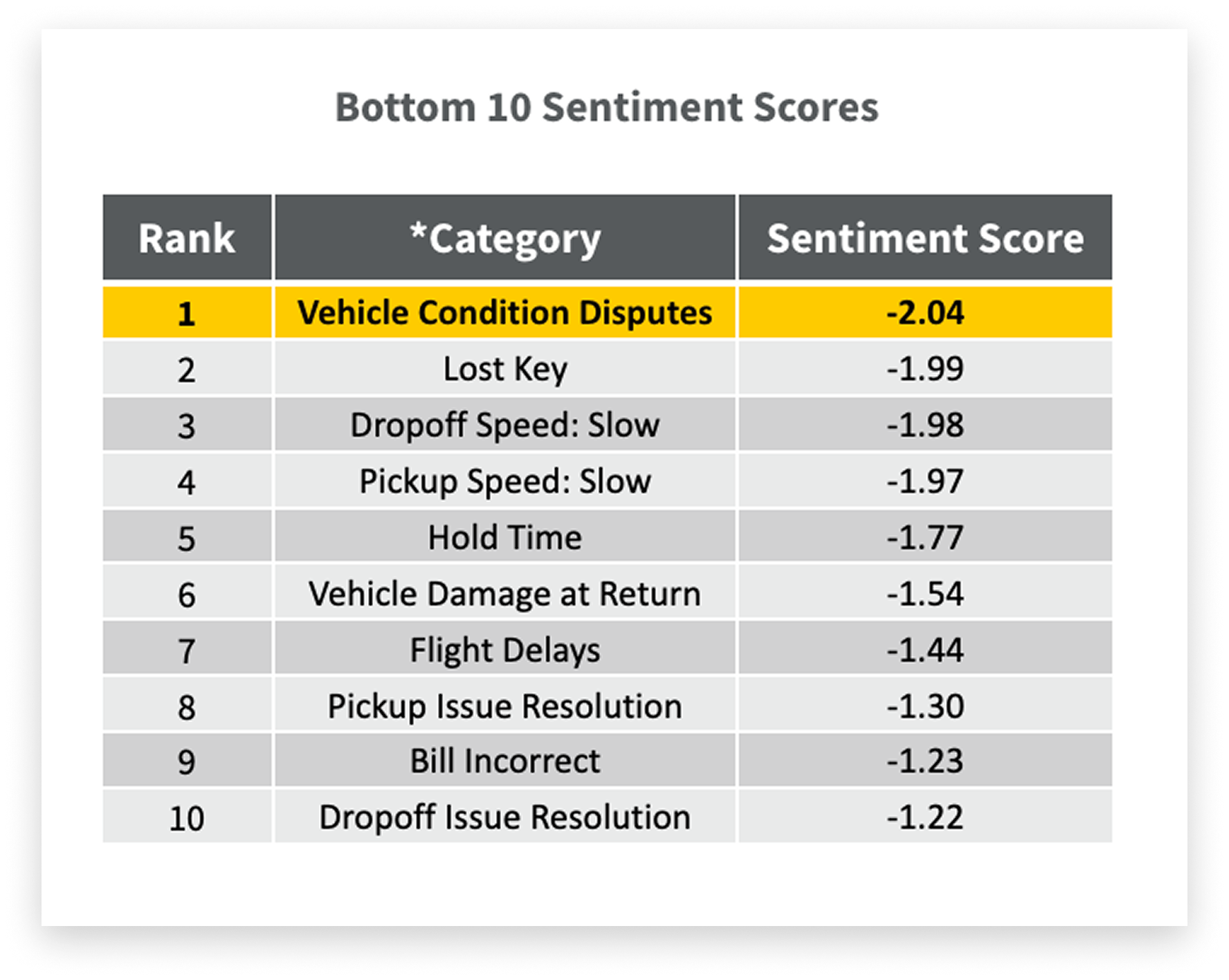
There are frequent disputes between customers and Enterprise about the condition of rental vehicles and whether damage is new, and therefore the financial responsibility of the customer, or pre-existing. Vehicle condition disputes have the worst sentiment score out of all customer feedback topics.
the solution
an interactive vehicle condition report
Designed an interactive vehicle condition report that provides customers with comprehensive diagrams, descriptions, and photographs of their rental vehicle, enabling clear understanding of its pre-existing condition. The goals of the vehicle condition reporting initiative are to:
01 Reduce vehicle condition disputes
02 Alleviate customer concern over financial responsibility
03 Increase brand trust
key features
vehicle condition report
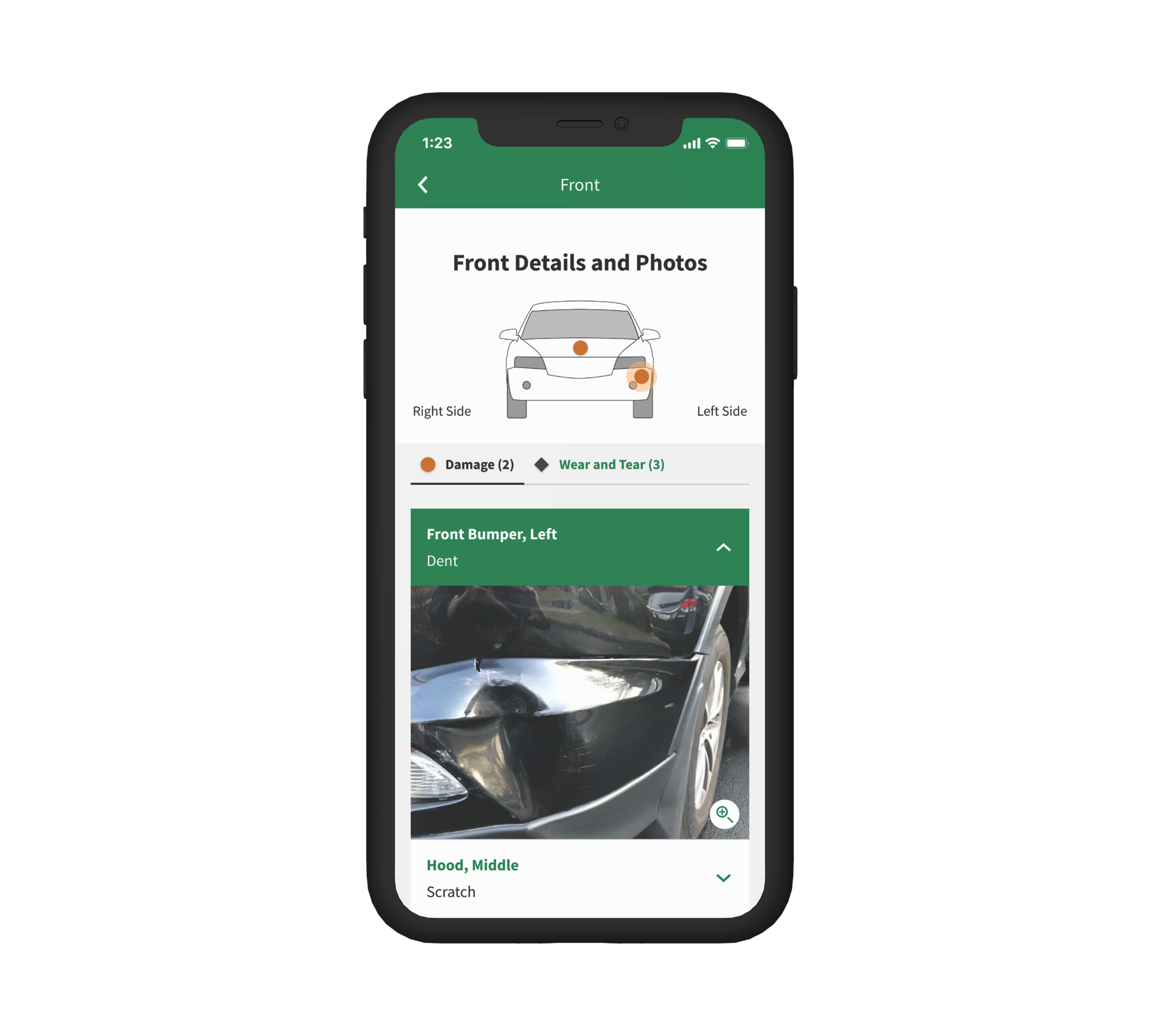
The vehicle condition report illustrates the pre-existing condition of the vehicle to help protect customers against damage liability.
renter dashboard
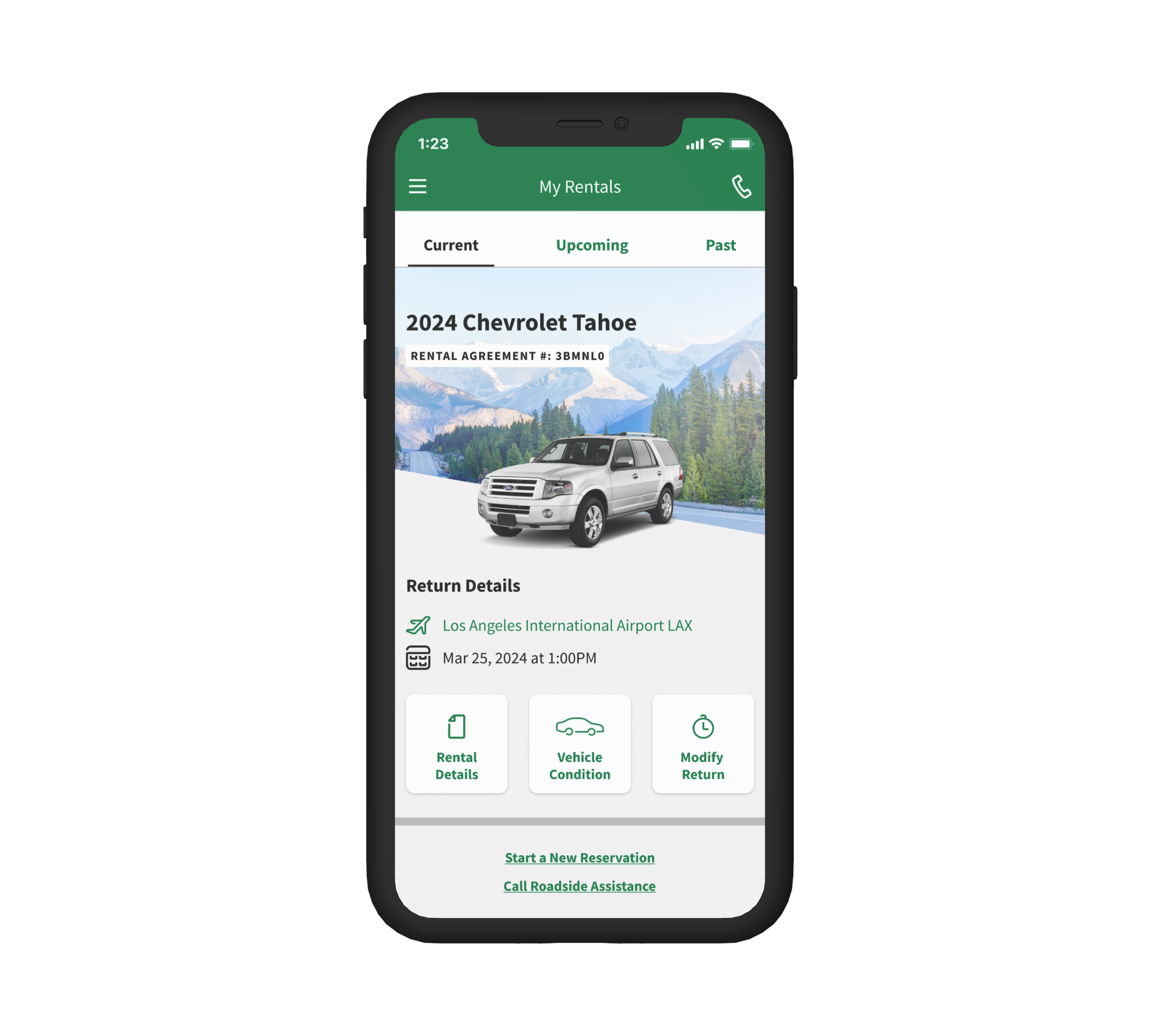
The renter dashboard is a central resource hub, providing easy access and transparency to vehicle condition report.
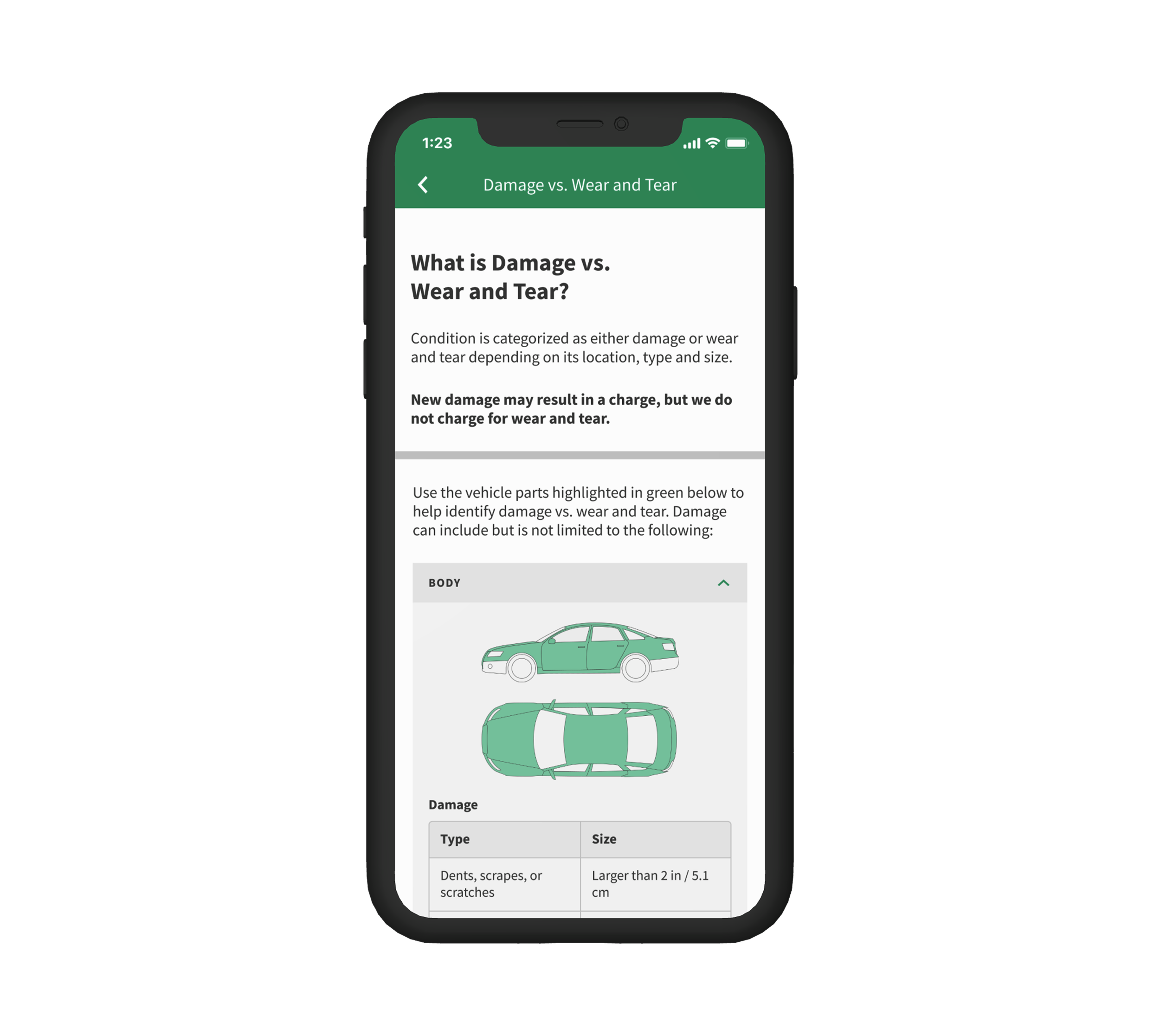
damage vs. wear & tear info
The damage vs. wear & tear informational educates customers on what they are financially responsible for if any new damage is created by the renter.
how did I arrive at this solution?
read on to learn about my process!
design process

01 discover
User interviews help define key priorities

02 design
From sketches to high fidelity prototypes

03 test
Validate and iterate
01 discover
understand customer needs for vehicle condition clarity
In order to dig deeper into how to alleviate vehicle condition disputes, our research team surveyed 25 customers who have rented a vehicle from Enterprise in the last 6 months to ask them about their experiences with vehicle condition.
research process
Media survey (closed and open ended questions)
audience
25 customers who have rented with Enterprise in the last 6 months
what customers are saying
“If I don’t have access to documentation, I can easily get blamed for damage that was not my fault.”
“Why do I have to prove this myself with my own photos; you should own that responsibility.”
“I want clear delineation of the state of my rental vehicle so I know exactly what I am committing to.”
key survey insights
01 protection
Customers want vehicle condition records to protect them from damage liability.
02 transparency
Current vehicle condition documentation available to customers is limited.
03 education
Customers want to learn and understand what they are financially responsible for.
ideation
We ideated potential features that would help us achieve our key goals of providing protection, transparency, and education to our customers.
01 protection
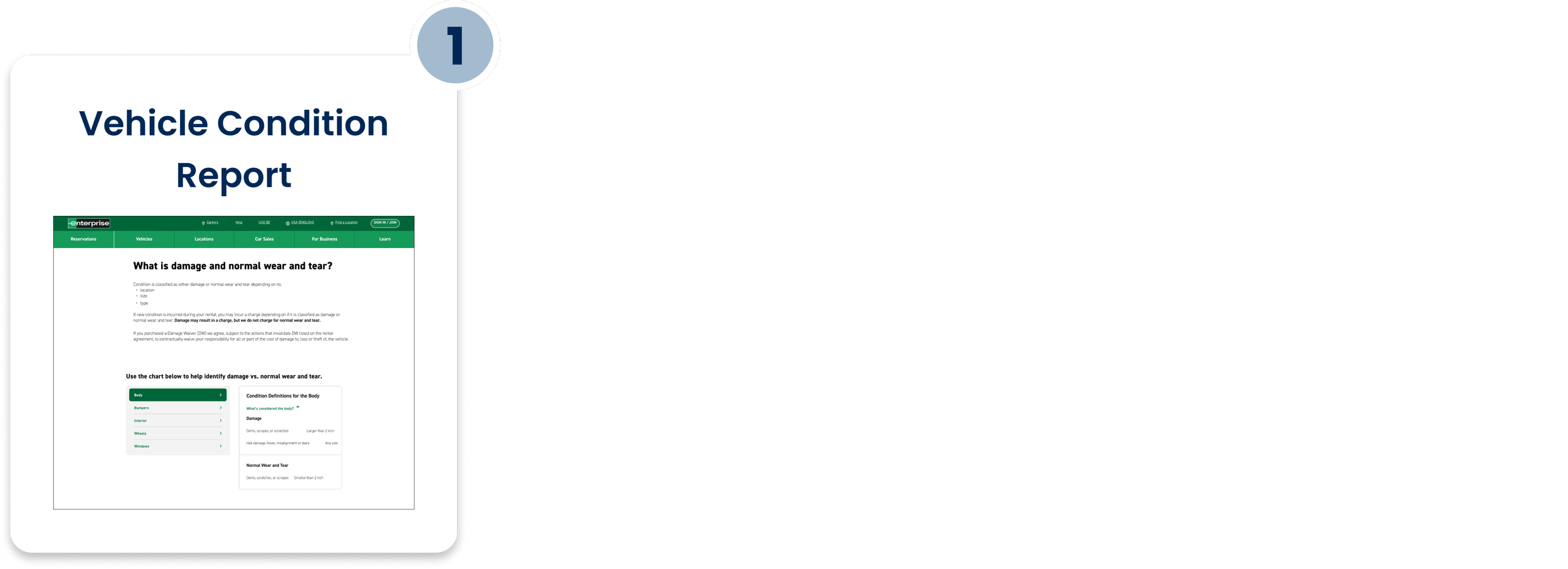
How might we illustrate the pre-existing condition of the vehicle to alleviate liability concerns?
Design an interactive vehicle condition report.
02 transparency
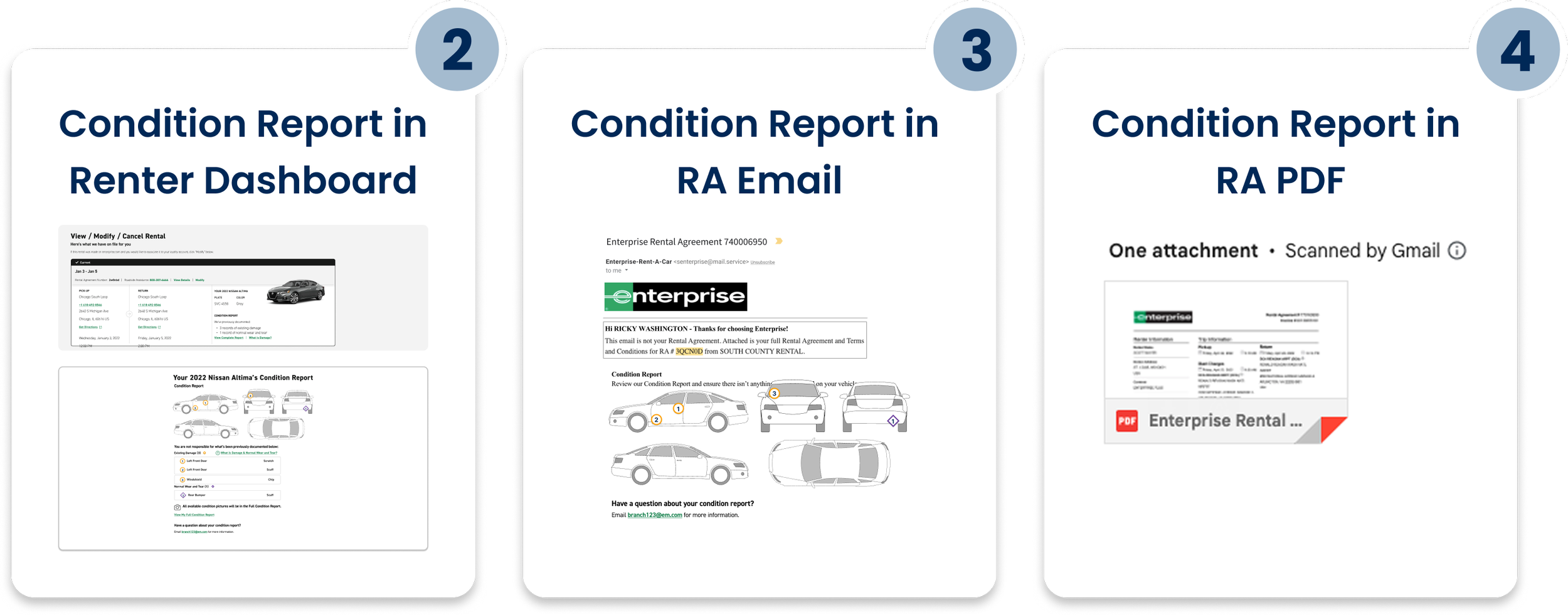
How might we increase transparency of vehicle condition documentation?
Provide multiple access points.
03 education
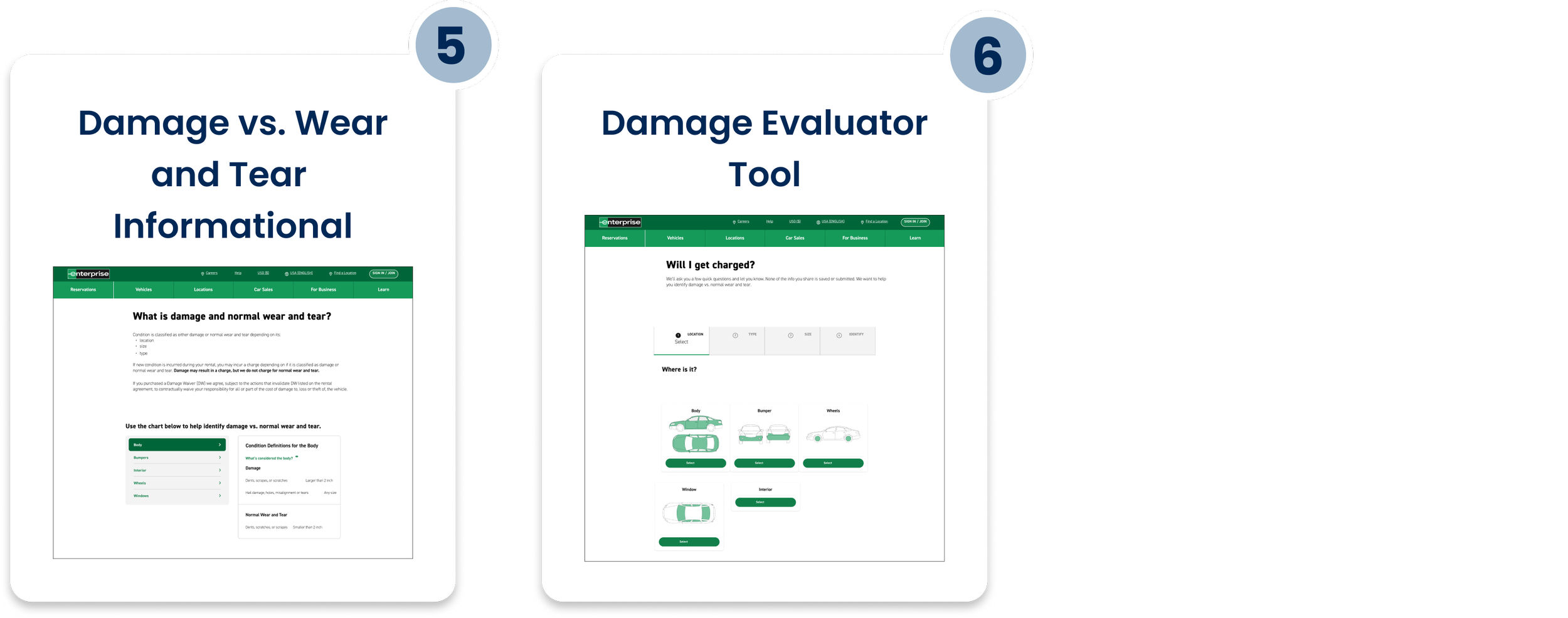
How might we educate customers on what they are financially responsible for?
Illustrate the difference between damage (billable) vs. normal wear and tear.
feature prioritization
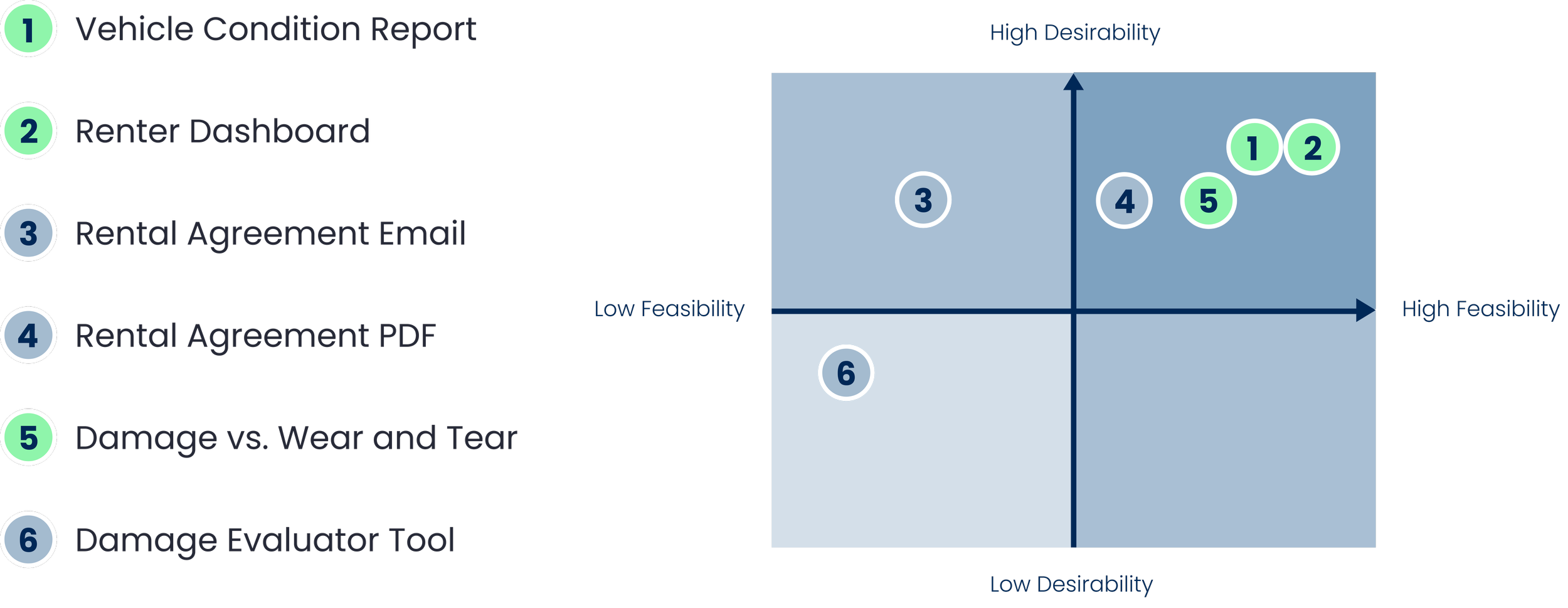
We prioritized the ideated features based on feasibility and desirability. The three features prioritized for MVP include a Vehicle Condition Report, a Renter Dashboard, and a Damage vs. Wear and Tear Informational.
02 design
feature 01: vehicle condition report
feature 02: renter dashboard
feature 03: damage vs. wear & tear informational
feature 01: vehicle condition report
goal
Illustrate the pre-existing condition of the vehicle to protect against damage liability
features
• Schematic diagrams of various sides of vehicle with pins denoting damage locations
• Corresponding photo documentation of damaged area
• Description of the type of damage
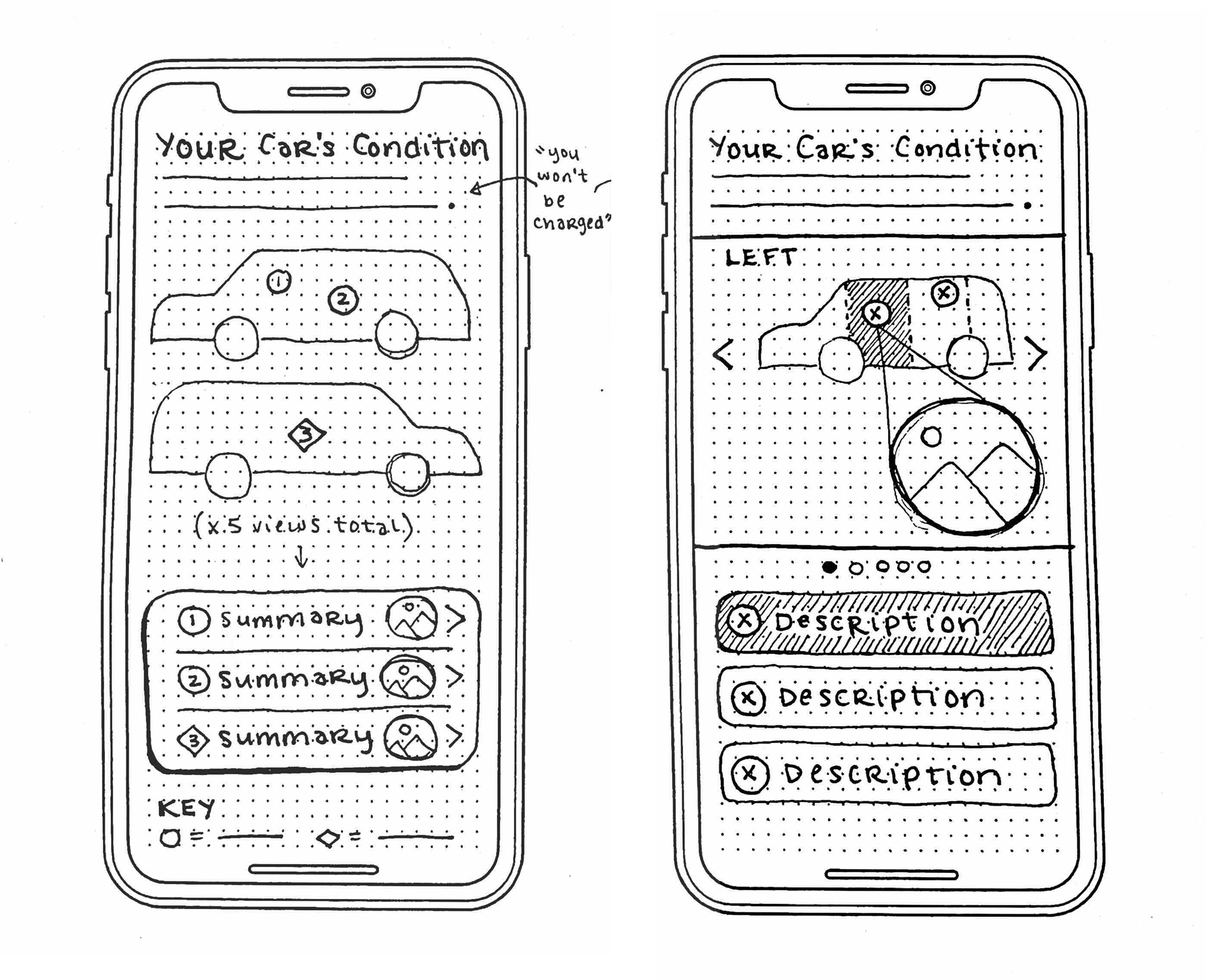
Iteration sketches of the vehicle condition report
competitive analysis
carvana
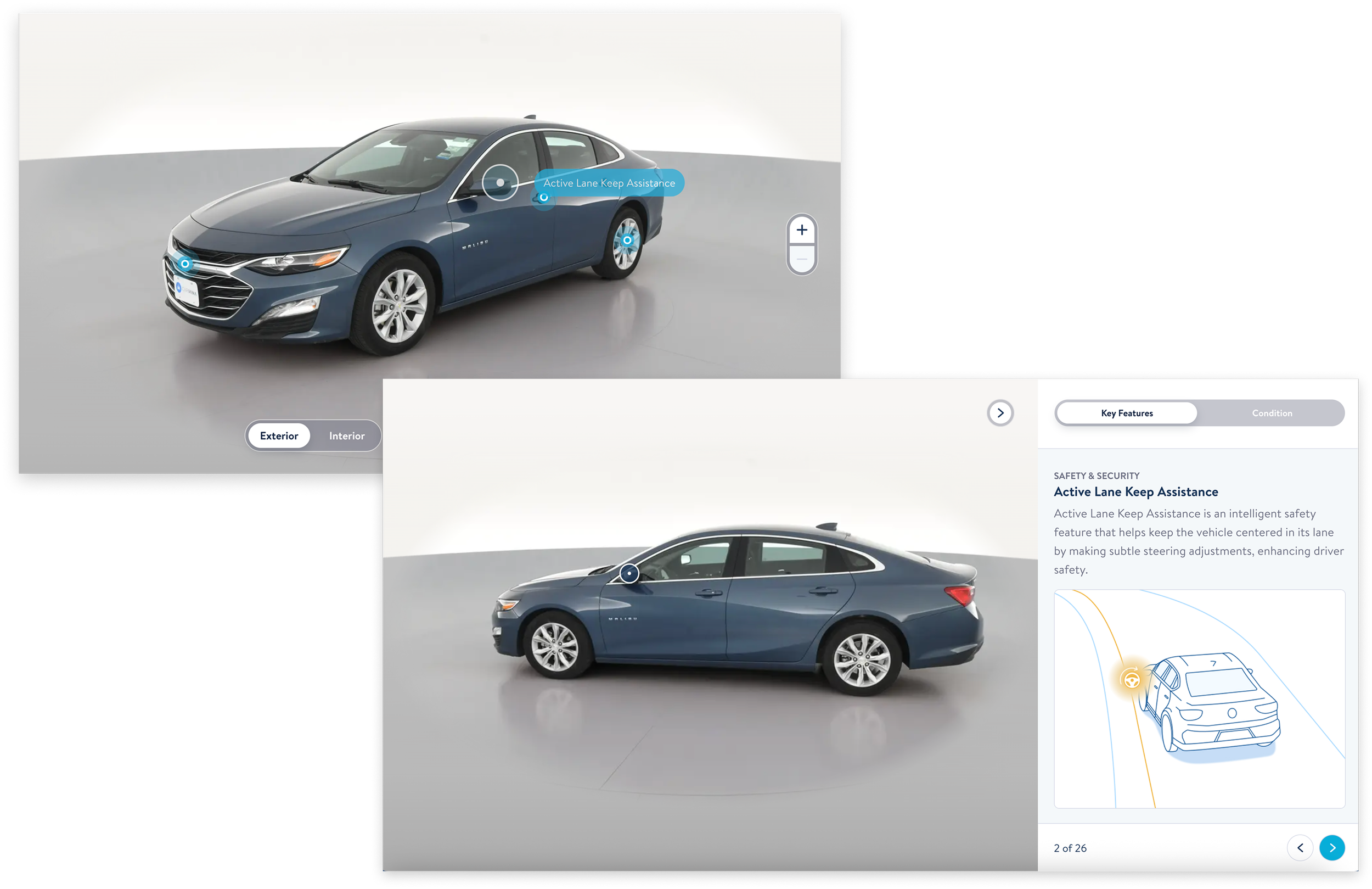
Carvana provides a highly interactive 360 degree view of each vehicle. Key features are highlighted by pins, and upon click/tap, a drawer reveals a detailed description.
interactive vs. static
Should we design a highly interactive vehicle condition report like Carvana’s? Or should we opt for a simpler, static version?
interactive view
• Tap pins or list items to toggle between photos
• Tap tabs to toggle between views
static view
• Scroll through list of views
• Scroll through gallery of photos
usability testing validation
preferences were split 50/50 interactive vs. static
• Some users preferred tab navigation while others preferred vertical scrolling
• Some users preferred to preview photos on the landing page, while others preferred to view photos on a separate page
feasibility check
let's gather development input!
Due to technical constraints, high interactivity is not feasible for MVP (specifically interactivity with the vehicle schematic diagram)
solution
Let technical constraints drive interactivity decisions, since user preference were split and only the list will be interactive
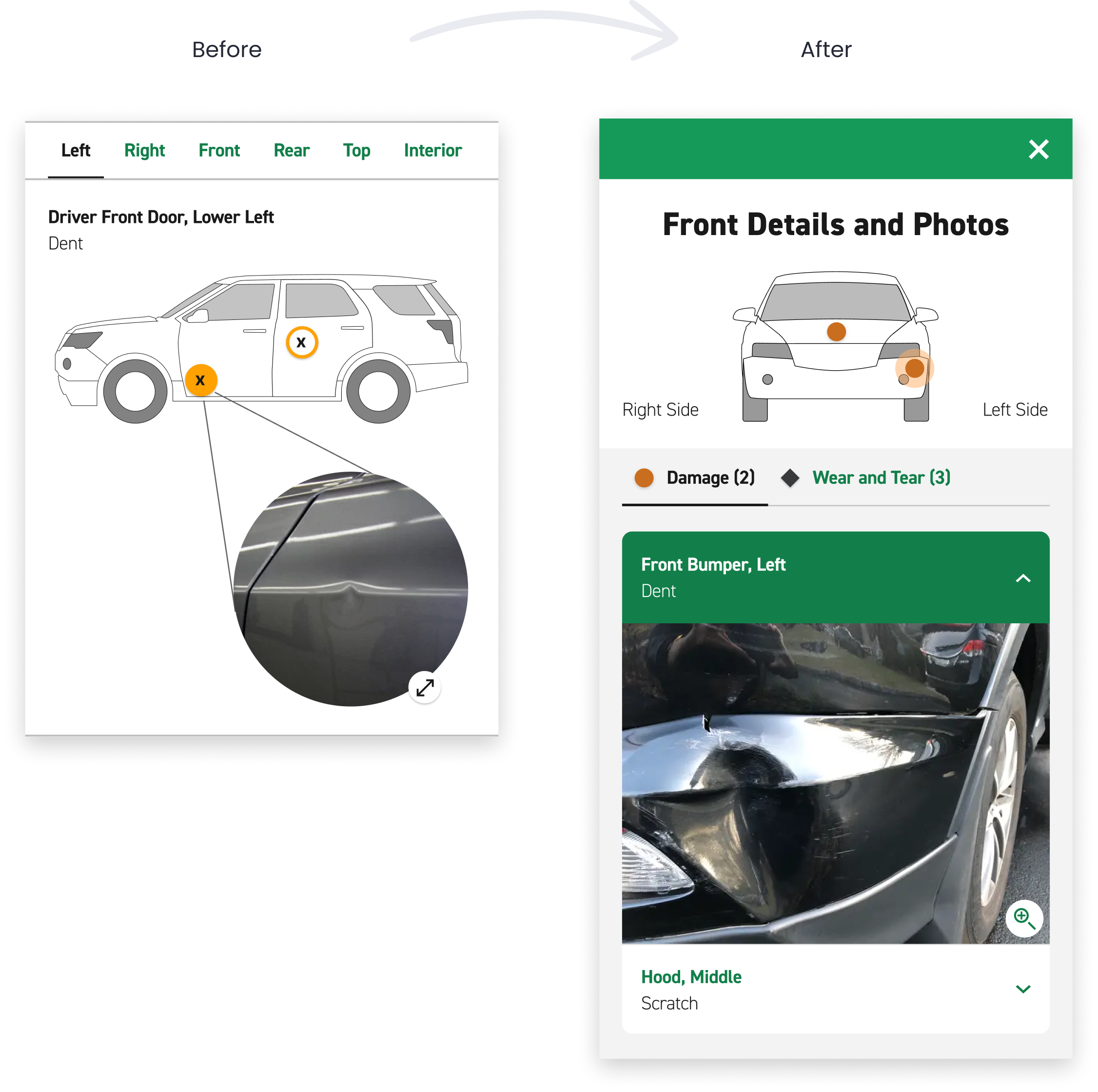
final designs: vehicle condition report
static landing page
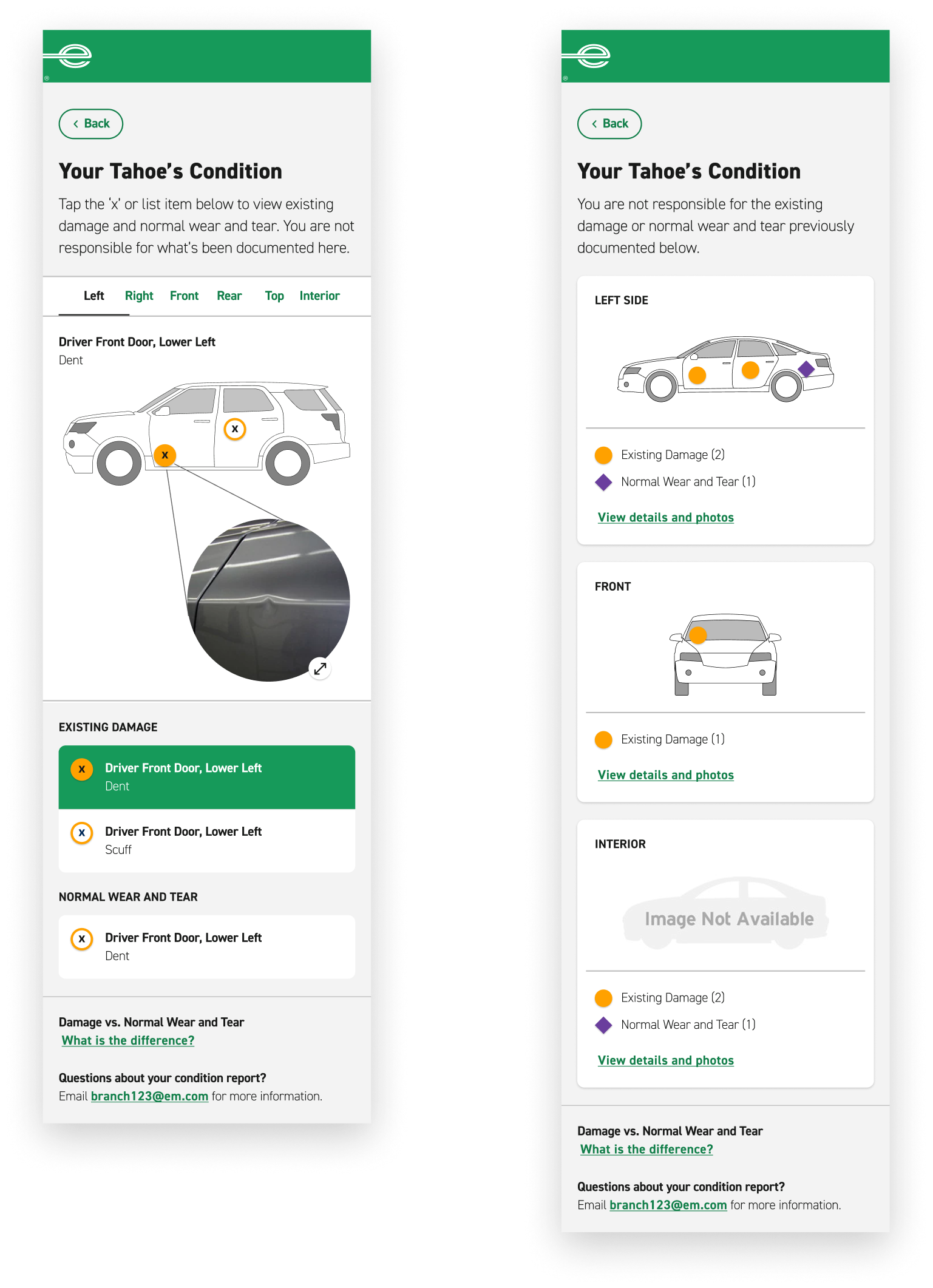
• Clearly state customer is protected against liability of documented pre-existing damage
• Schematic diagrams of each side of the vehicle, so customers can quickly locate which sides of the vehicle include pre-existing damage
• Pins denote specific locations of damage or wear and tear
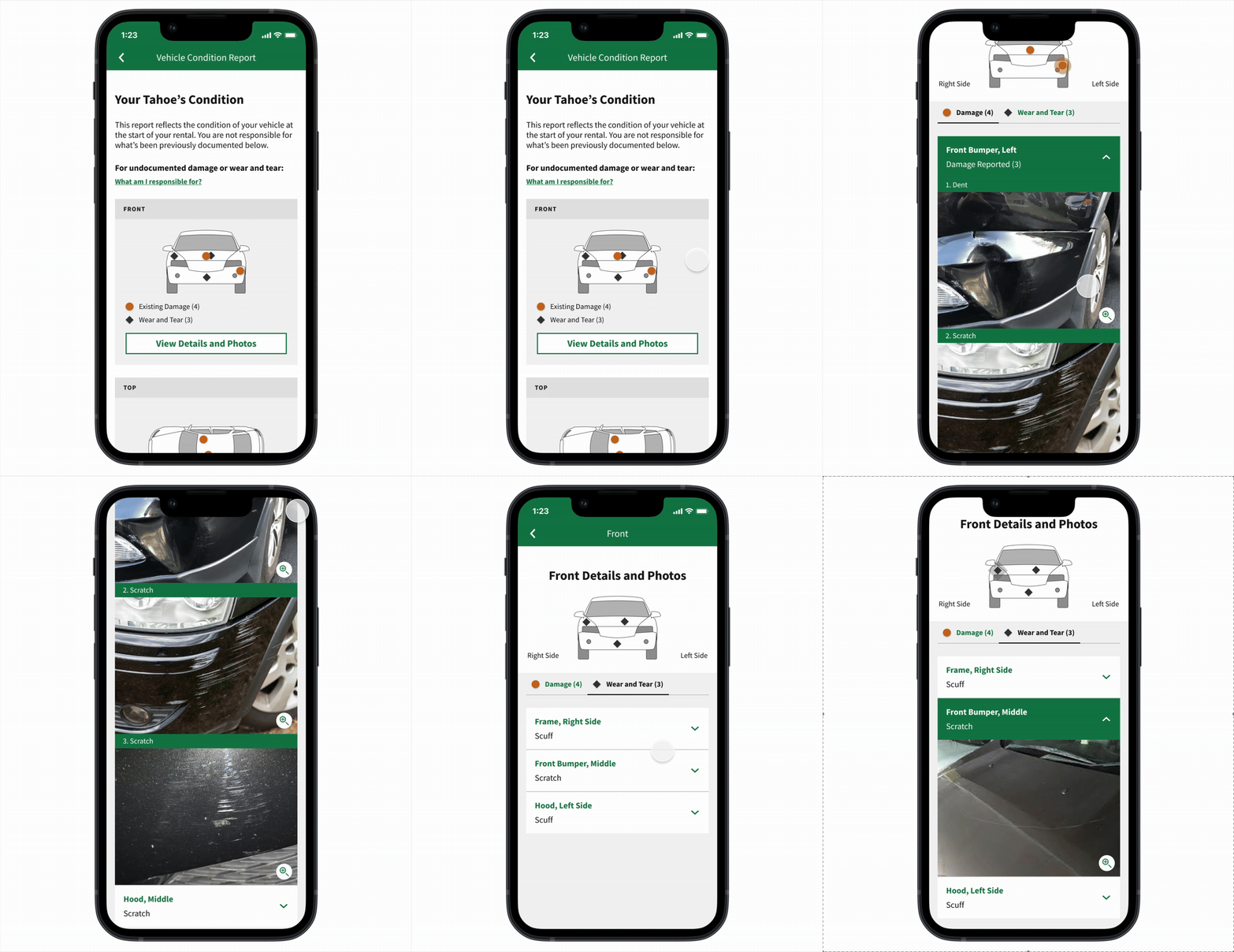
interactive detailed view
• Tab between damage vs. wear and tear items to highlight differences
• Interactive list of descriptions expands photo documentation, removing the responsibility of photo documentation from the customer
• Corresponding location pin will highlight via halo effect, facilitating discoverability of damage location
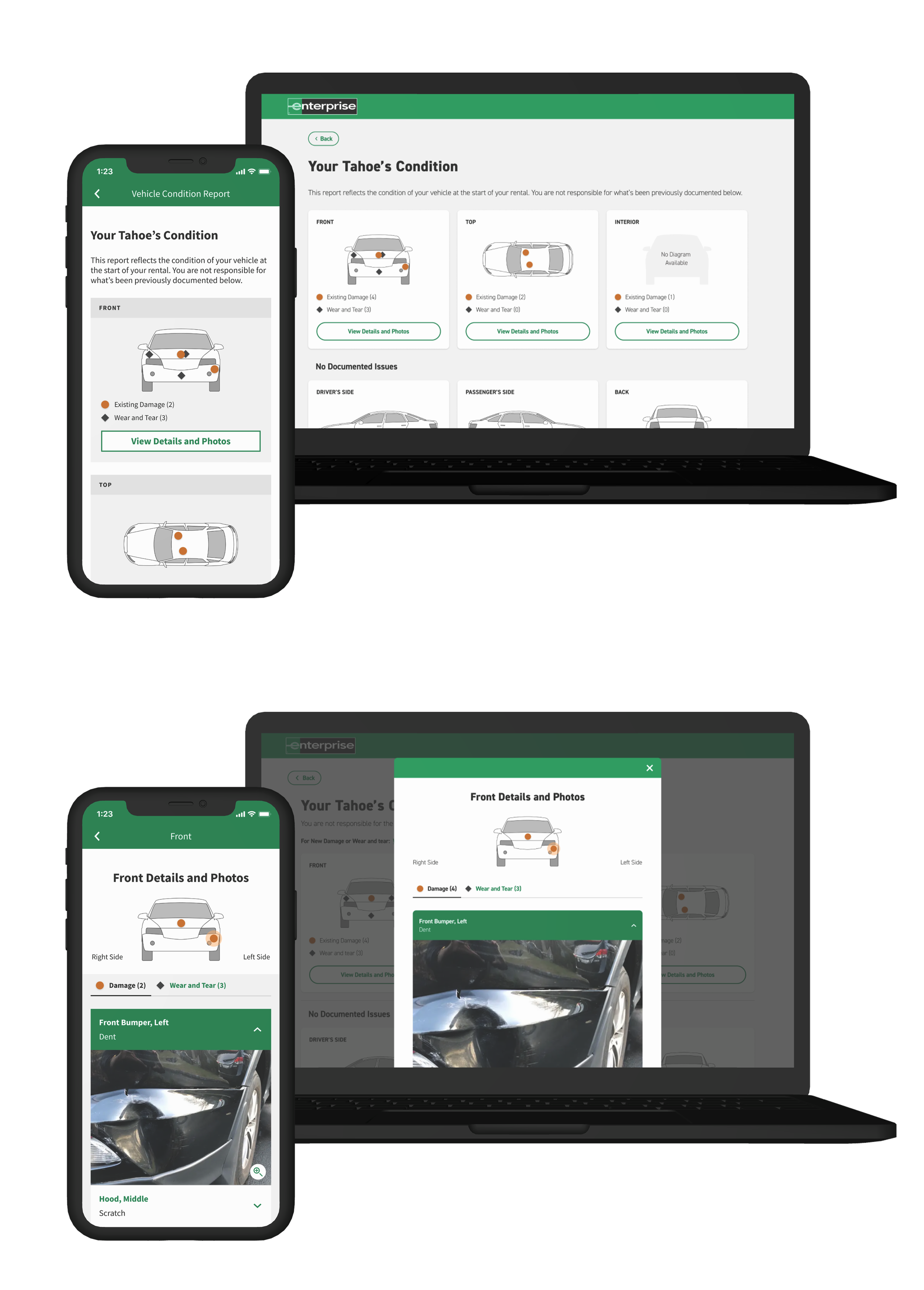
final prototype: vehicle condition report
feature 02: renter dashboard
goal
Provide easy access and transparency to vehicle condition report.
features
• Summary of rental information such as return location, date, time and vehicle class
• Links or entry points to Rental Details, Vehicle Condition Report, and Modify Return
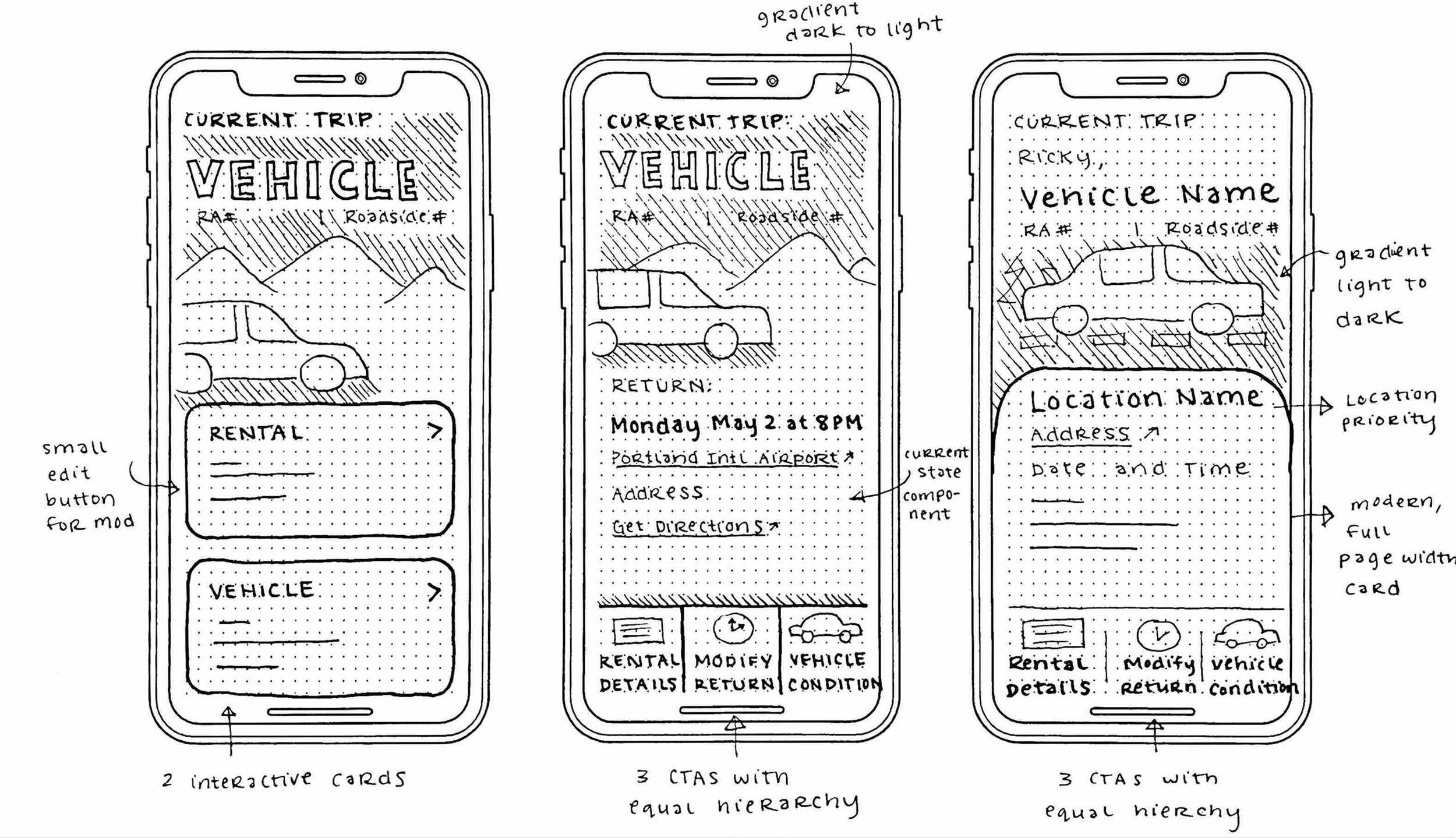
Iteration sketches of the renter dashboard
call to action (CTA) design
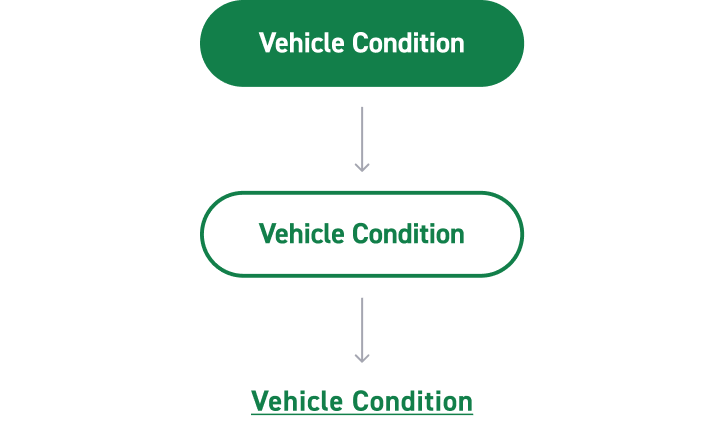
primary, secondary, or tertiary??
which CTA style do we use when multiple actions (Rental Details, Vehicle Condition, and Modify Return) warrant equal hierarchy?
competitive analysis
uber and doordash
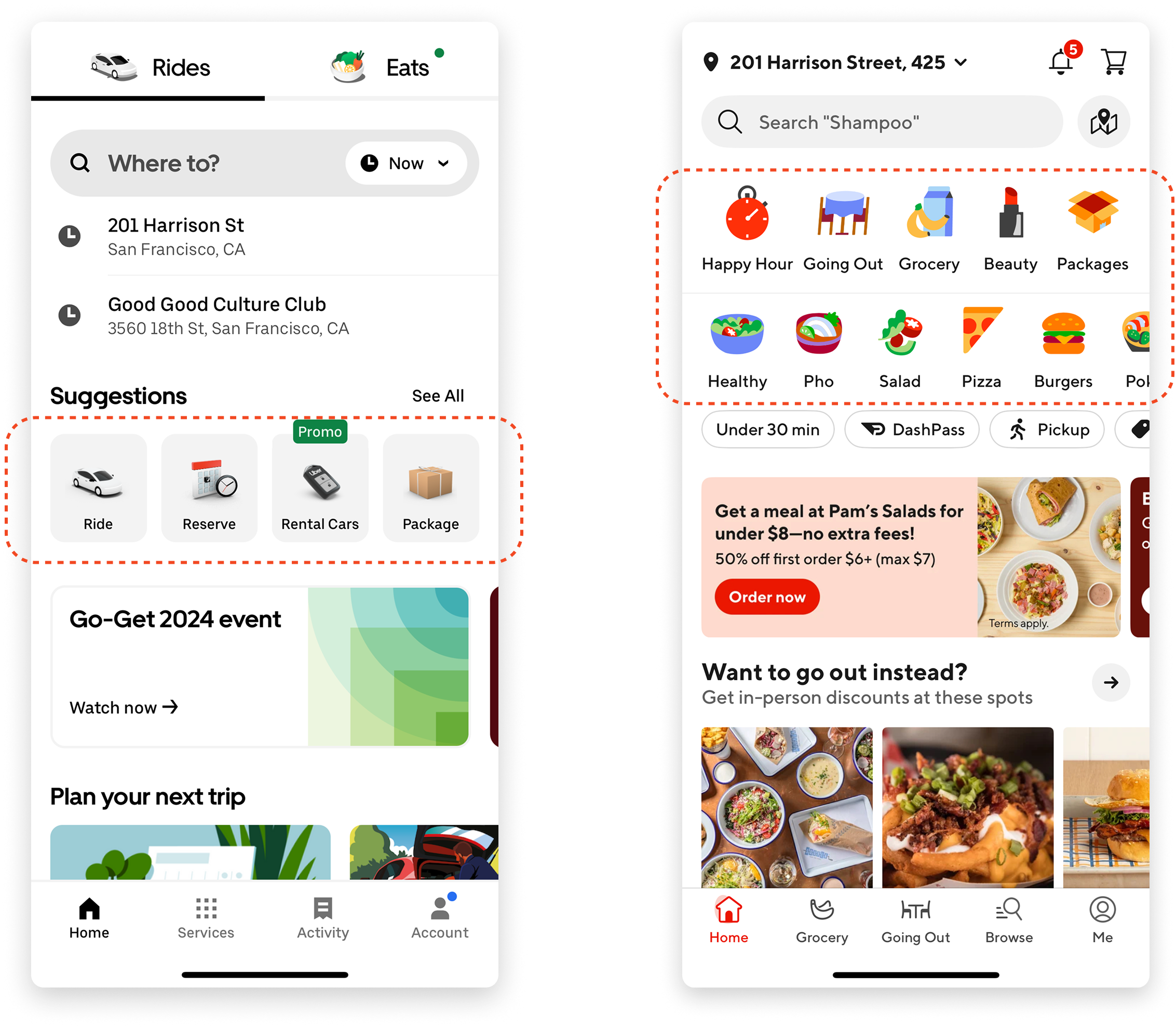
Uber and Doordash use tiles for actions with equal hierarchy on their dashboard pages.
action tile vs. tertiary CTA
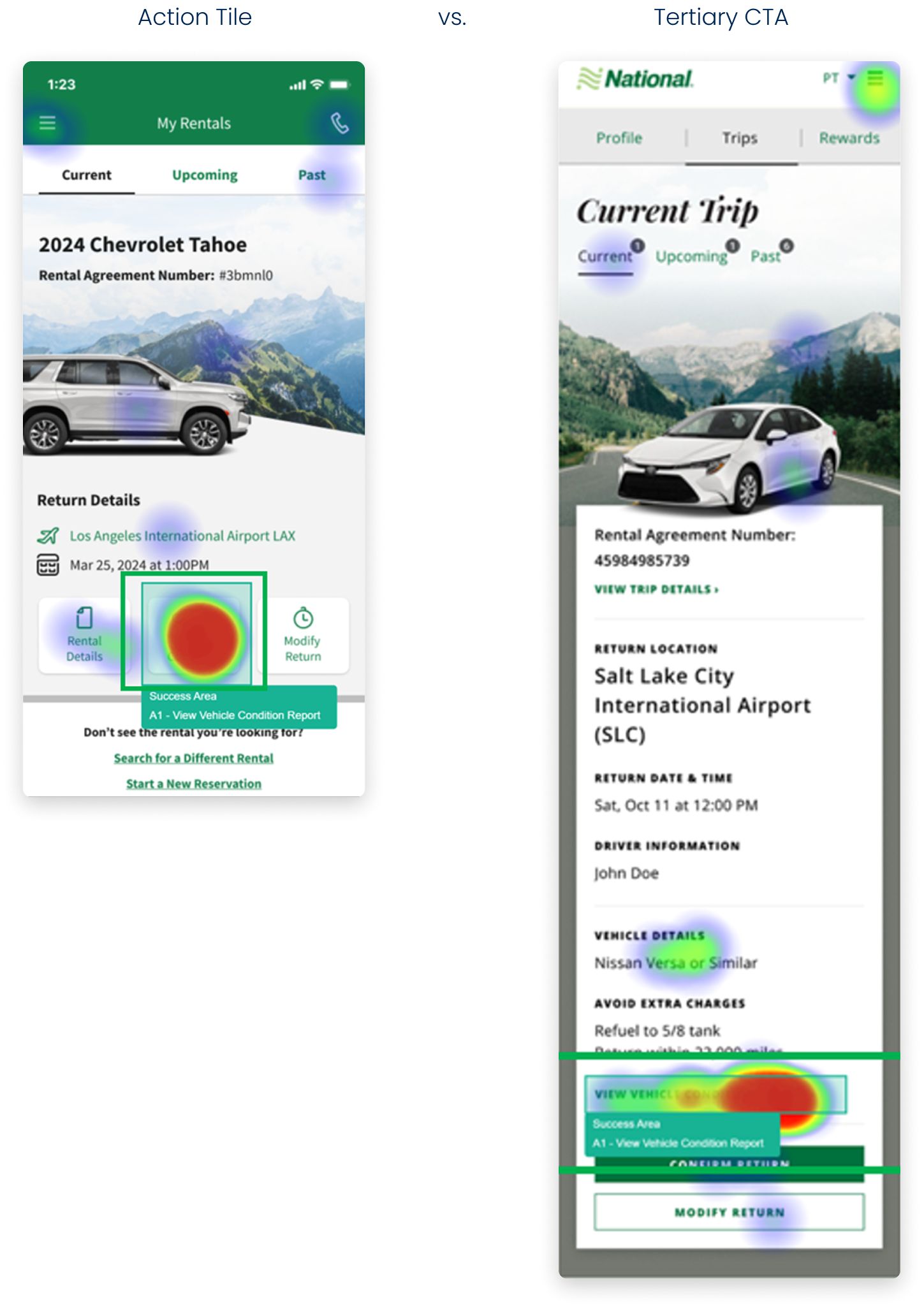
Should we design a row of action tiles like Uber and Doordash as an entry point to the Vehicle Condition Report? Or should we create hierarchy and utilize a tertiary CTA link?
A/B click test validation
Customers found the Vehicle Condition button in 6 seconds with a 86% success rate for action tiles vs. 9 seconds with a 77% success rate for tertiary CTA.
final designs: renter dashboard
new dashboard
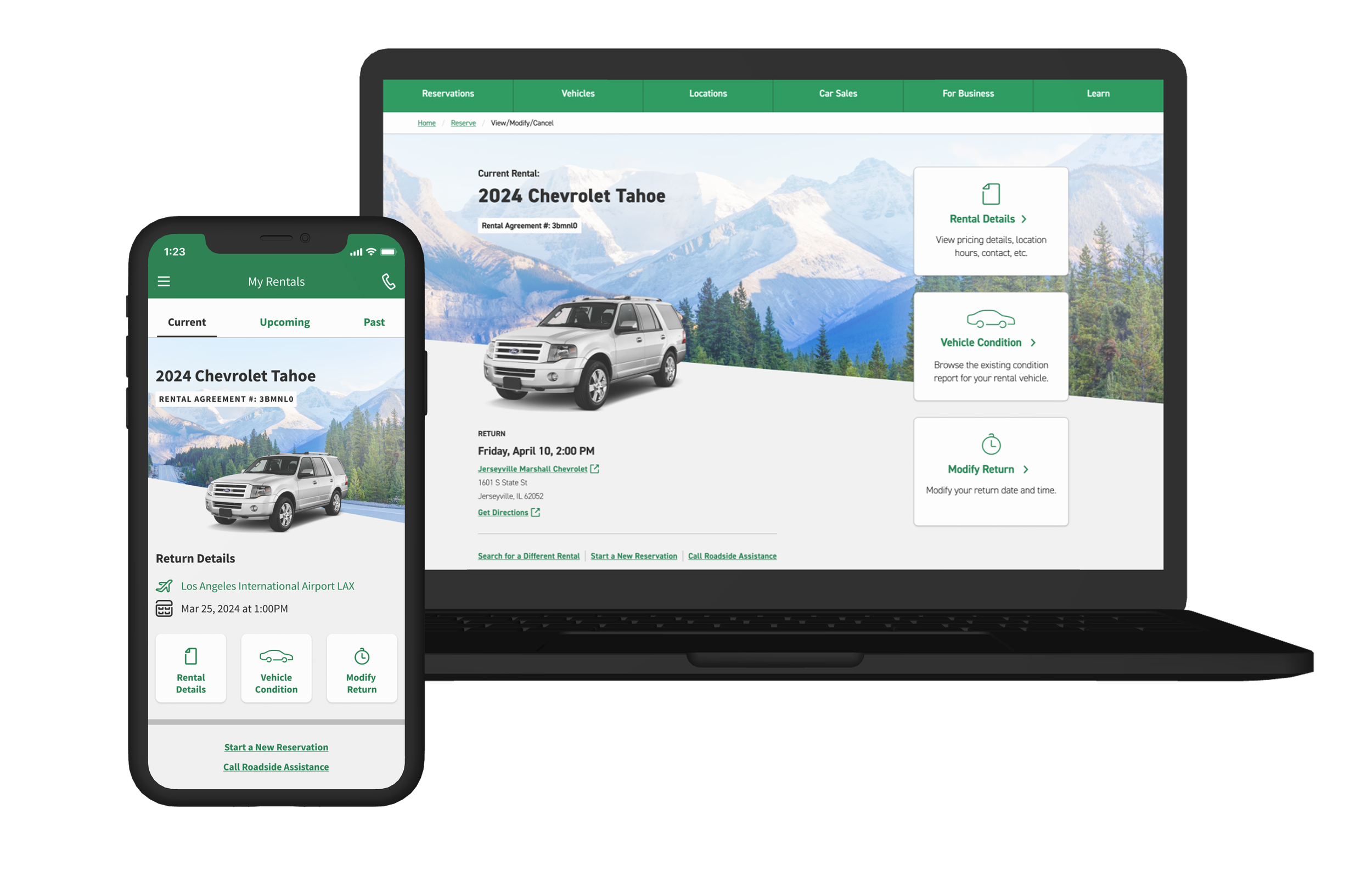
The renter dashboard is a centralized hub to bring transparency to renter resources such as the Vehicle Condition Report.
new action tiles
Action tile navigation allows the Vehicle Condition Report to have equal hierarchy as other auxiliary dashboard actions, while standing out amongst other actions.
feature 03: damage vs. wear & tear informational
goal
Educate customers on what they are financially responsible for.
features
• Define damage vs. wear and tear and what customer is financially responsible
• Categorize vehicle parts and define damage vs. wear and tear by part since criteria differs per part
damage evaluator audit (legacy)
✅ pros
• To-scale ruler to measure damage on vehicle to determine if considered damage or wear & tear
❌ cons
• No mention of financial implication of damage vs. wear & tear
• Dense, copy-heavy and not digestible
• Physical artifact is not easy to distribute
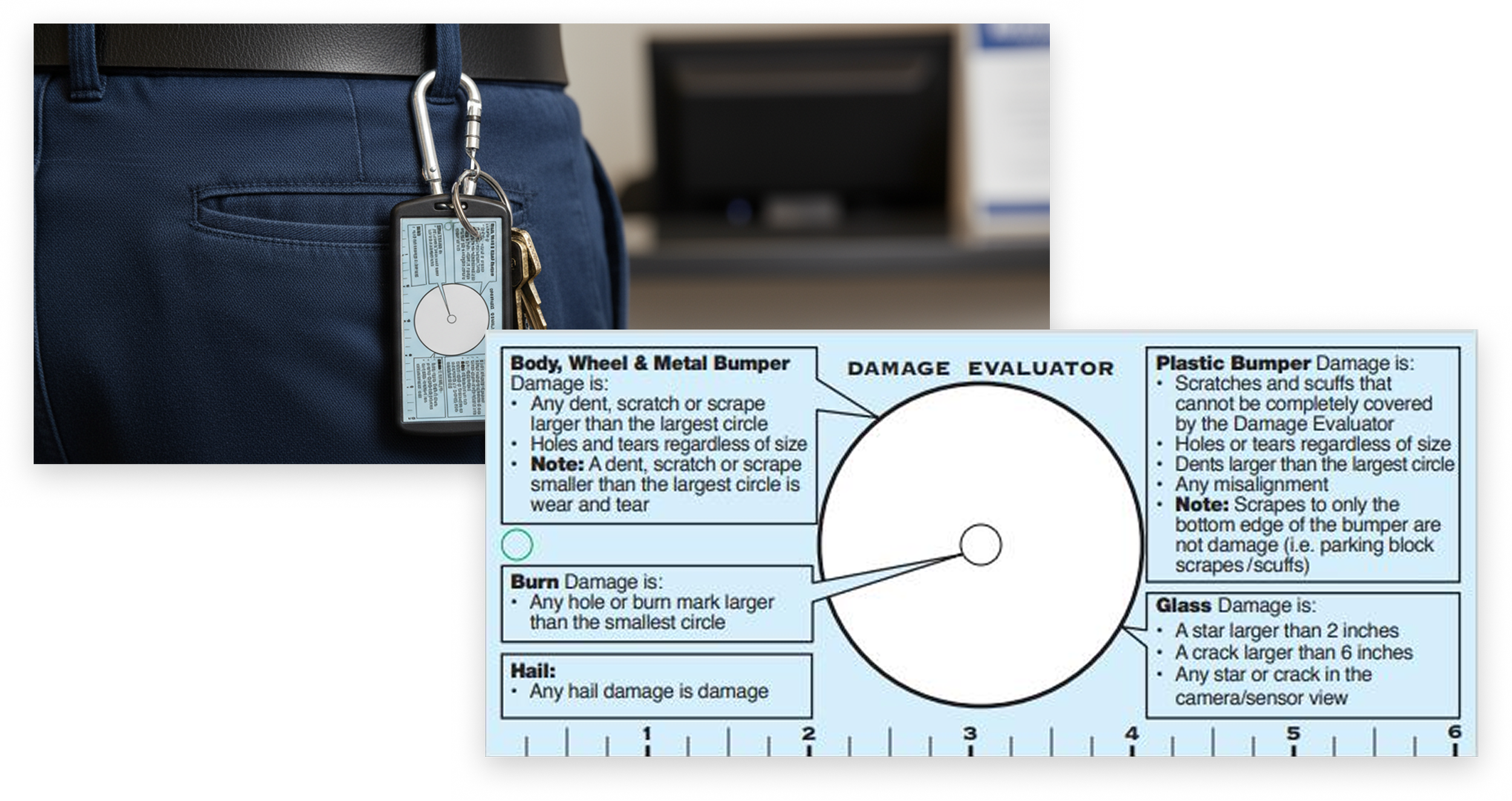
Previously, Enterprise employees would carry a Damage Evaluator, or laminated card which they would use to measure and evaluate what is considered as damage vs. normal wear & tear.
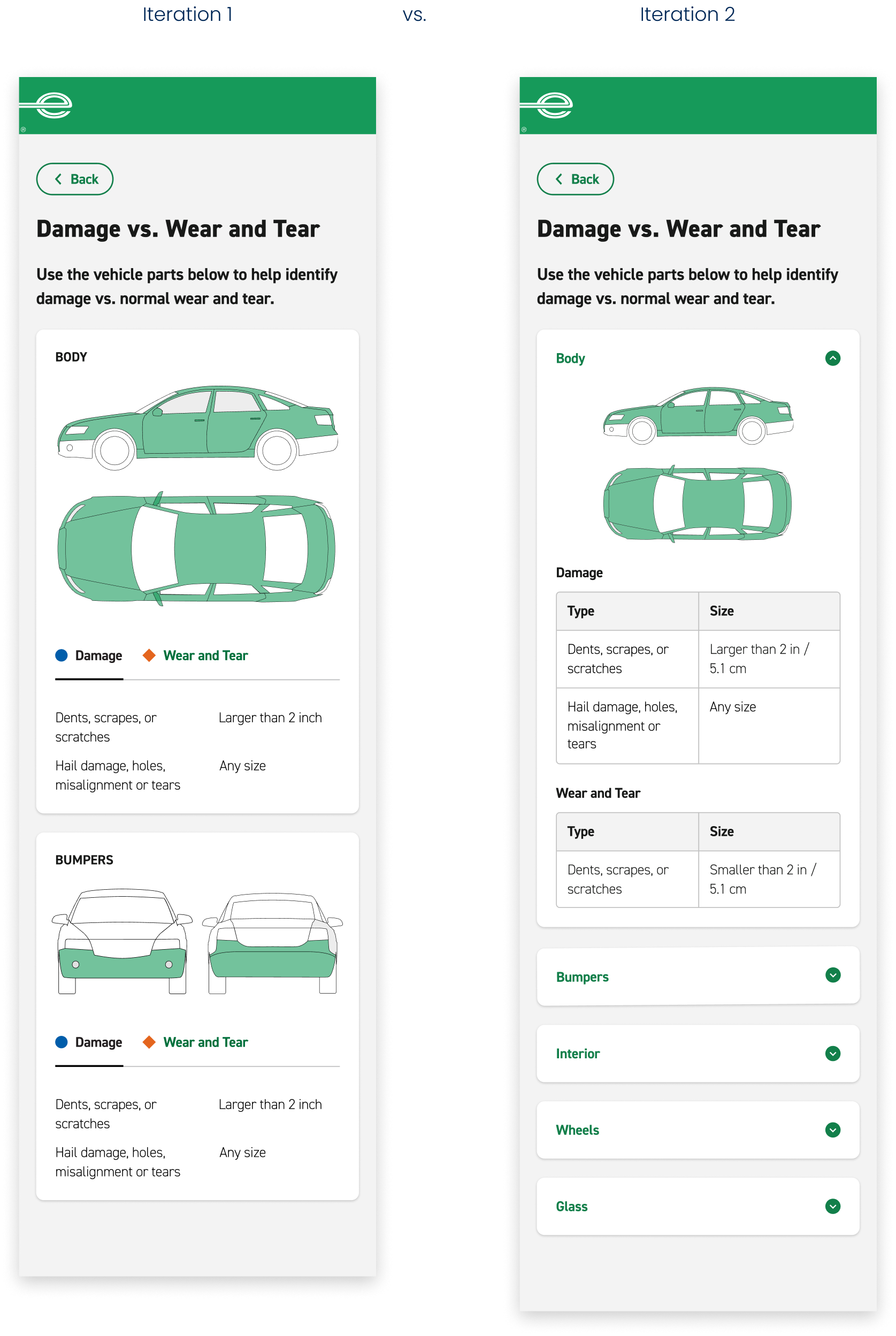
design iterations
❌ iteration 1
• Long scroll for full display
• Tabbed view of damage vs. wear & tear for quick toggle
✅ iteration 2
• Progressively disclose cards as needed via accordion pattern
• Table view of damage vs. wear & tear for clear formatting and relationships
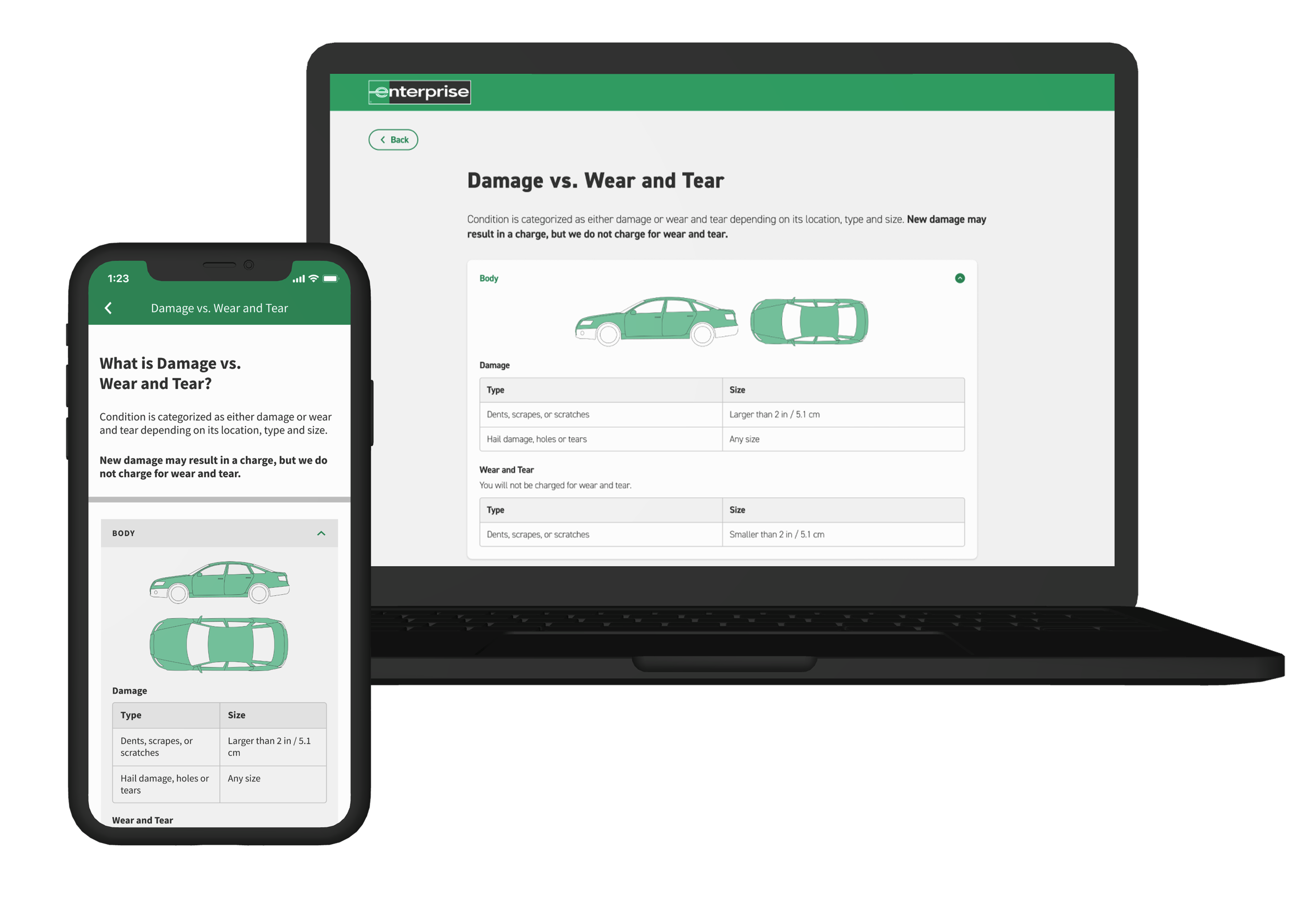
final designs: damage vs. wear & tear informational
high-level definition of damage vs. wear & tear
Define damage vs. wear & tear and what the customer is financially responsible for.
vehicle part categorization
Categorize vehicle parts and illustrate via highlighting schematic diagrams for targeted visual reference since different vehicle parts have different criteria for damage vs. wear & tear.
damage vs. wear & tear comparison table
Each vehicle part includes a table for damage vs. wear & tear by type and size for ease of comparison.
03 test
goal
Understand if customers feel confident that Enteprise is aware of damage after viewing the Vehicle Condition Report
process
Unmoderated click test survey with 120 participants that have recently rented a vehicle
result
Most participants (95%) were extremely confident that Enterprise was aware of damage after viewing the Vehicle Condition Report.opportunity for improvement
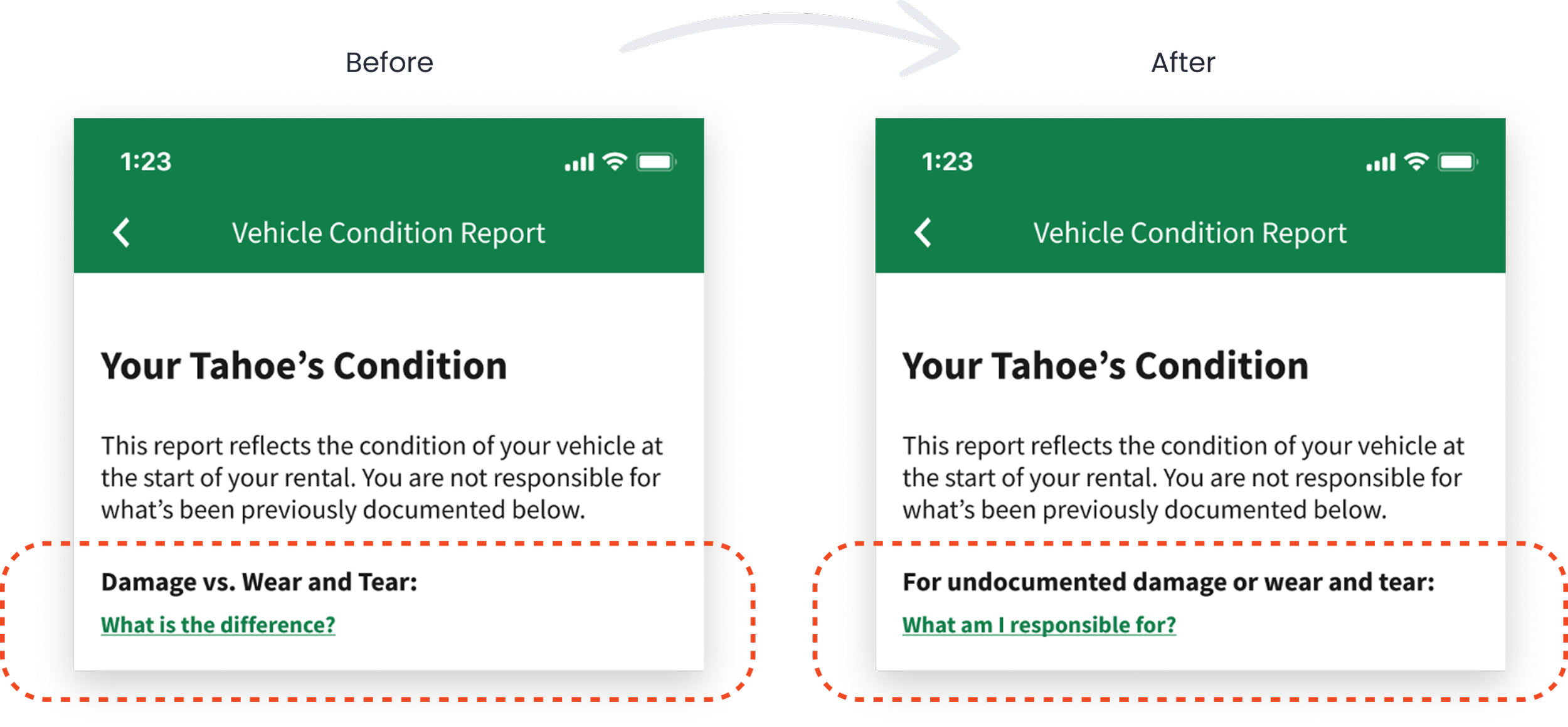
observation
Only 3% of participants tapped “What is the difference between damage vs. wear and tear?” to find out if they would be charged.
solution
Refocus messaging on financial responsibility to highlight what matters most to customers.
future opportunity
observation
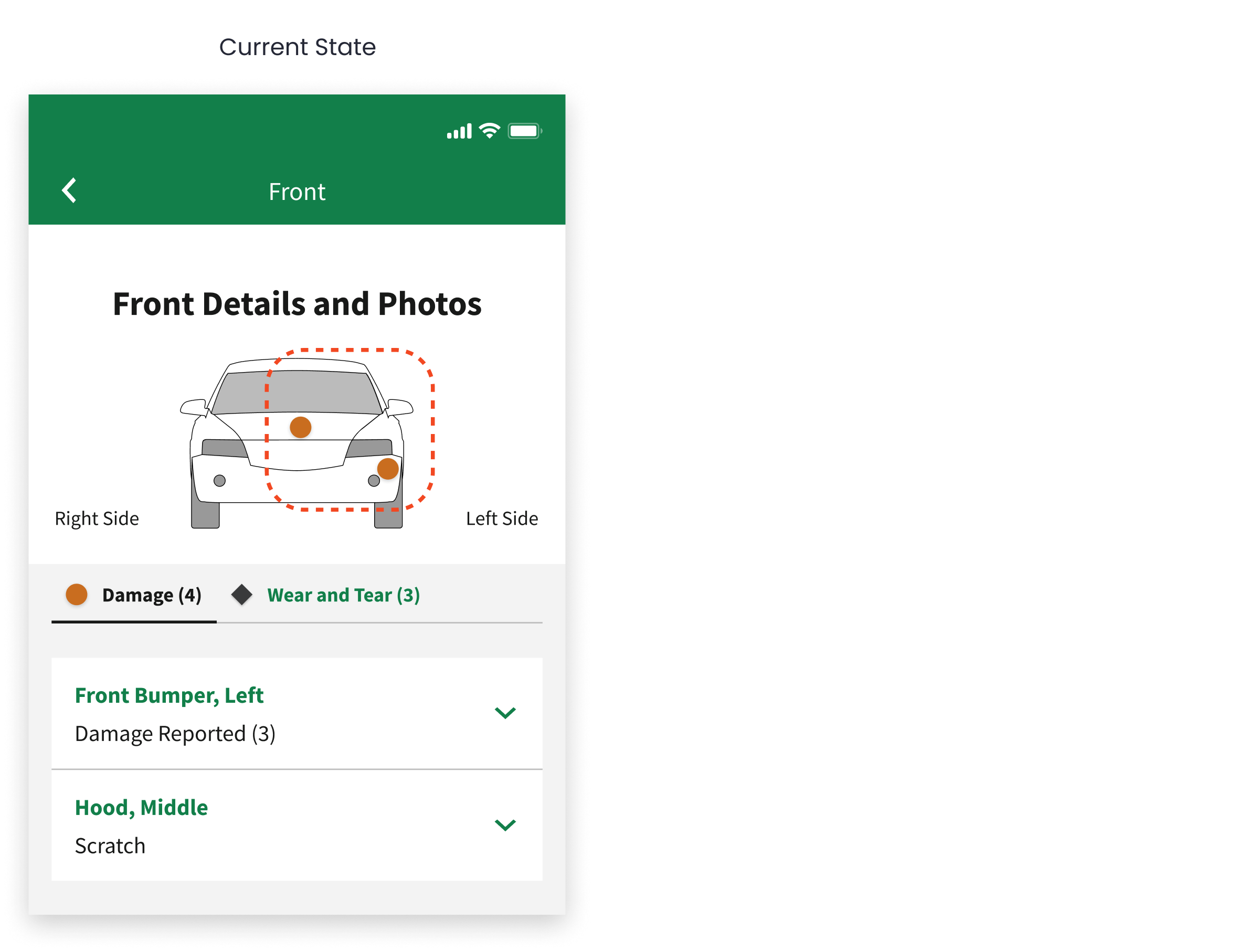
24% of participants incorrectly clicked on the schematic pins to find photos of damage.
solution
Prioritize feasibility of enabling interactivity of schematic pins so photos/descriptions display upon tap.
future opportunity
observation
Some participants expected a solution for reporting undocumented damage.
solution
Incorporate online reporting system for customers to submit description and photos of undocumented damage.
lessons learned
01 designing with constraints
Because the vehicle condition report involves complex interactions, I collaborated closely with developers and product managers to align on how much interactivity is feasible for our project scope, timeline, and budget. I was challenged to make static reports as clear as possible when interactive reporting was not in scope.
02 translating dense reports into digestible information
Because the distinction between damage and normal wear and tear depends on the size, type, and location of the issue on the vehicle, I needed to clearly define these nuances for customers. I addressed this by using progressive disclosure, schematic diagrams, and tabular comparisons to support quick comprehension.
03 tri-brand collaboration
This project was a collaborative effort between me, a National designer, and an Alamo designer for our respective car rental brands. Through this collaboration, I learned how to balance cross-brand consistency while preserving each brand’s unique standards and design patterns.